


Bank reconciliation. The phrase alone is enough to make some business owners groan. At its core, it’s simply the process of making sure the transactions you’ve recorded in Sage perfectly match what’s on your actual bank statements. It’s how you confirm that your books are an exact mirror of your bank's activity.
Think of it as the ultimate financial health check. Doing it right catches errors, flags potential issues, and gives you a true picture of your cash position. It’s one of those non-negotiable tasks for keeping your accounts accurate and reliable.

Let's be honest, bank recs can feel like a chore. But getting this right in Sage is one of the most powerful things you can do for your business. It’s so much more than a box-ticking exercise; this is where raw financial data gets turned into genuine business intelligence.
For any UK business today, regular, accurate reconciliation is the bedrock of a solid financial strategy. When your books and your bank are in perfect harmony, you can have absolute confidence in your financial reports and make decisions backed by solid data.
Getting this right delivers real, tangible advantages that go way beyond just balancing the books. It has a direct impact on your day-to-day operations and your long-term planning.
Here’s what you really gain:
In today's economy, with massive payment volumes, trying to do this all by hand just isn't practical anymore. To give you some perspective, the Bank of England's CHAPS statistics for November 2025 showed 4.24 million payments worth a staggering £7.8 trillion were processed. Sage's bank feed automation can slash the manual errors that come with this kind of volume by up to 40%, making it an essential tool.
I’ve seen it happen time and again: a business owner makes a big spending decision based on their Sage Profit & Loss report, only to discover it’s completely wrong because of unreconciled bank transactions. This can lead to everything from cash flow problems to missed growth opportunities.
Ultimately, mastering the bank reconciliation on sage process gives you the financial clarity you need to steer your business with confidence. For anyone just starting out, getting the accounting foundation right is crucial; our guide on the best cloud accounting software for startups offers some more valuable insights on this.
A smooth bank reconciliation in Sage doesn’t just happen by chance; it’s the result of getting the foundations right from the very beginning. If you invest a little time upfront to build this groundwork, you can transform what is often a tedious monthly chore into a swift, almost automatic process. The goal here is to let Sage do the heavy lifting for you.
The most important first step is connecting your bank account directly using Sage Bank Feeds. This creates a secure, automatic link that pulls your transaction data straight into your accounting software every day. It makes manual statement uploads, with all their risks of typos and missed entries, completely obsolete. For new businesses, choosing the right bank is key; you can learn more about how to set up a business bank account to ensure it integrates smoothly from day one.
Deciding how to get your bank transactions into Sage is a key first step. A direct feed is usually best, but manual imports still have their place. This quick comparison should help you decide.
For the vast majority of businesses, the direct feed is the way to go. It’s the cornerstone of an efficient reconciliation process.
Once your bank feed is up and running, your next move is to make sure your Chart of Accounts is well-organised. Think of this as the digital filing system for all your business finances. A logical, detailed structure with specific nominal codes for different types of income and expenses is what makes true automation possible.
For instance, instead of one generic "Software" expense account, you could create separate codes for "Marketing Software" and "Admin Software." It seems like a small change, but it helps Sage's rules work far more effectively. When a transaction for your CRM subscription comes through the bank feed, a specific rule can instantly file it under "Marketing Software" without you lifting a finger.
The real power of Sage reconciliation isn't just matching transactions—it's teaching the system to think for you. A well-structured Chart of Accounts is the language you use to teach it.
This is where you really start to see the time-saving benefits. Bank Rules are basically instructions you give Sage to automatically categorise recurring transactions. Think about your monthly rent payment to "ABC Property Ltd." You can create a rule that tells Sage: "When you see a payment to ABC Property Ltd., always categorise it to the 'Rent' expense account."
You can build these rules for almost any regular payment you make:
As you set up Sage, look for every opportunity for automating data entry to minimise manual effort and the potential for human error. This approach not only saves countless hours but also dramatically improves the accuracy of your financial data. It turns the final reconciliation into a simple review process rather than a complex investigation. Getting these rules right from the beginning is your ticket to a faster, more accurate month-end.
Alright, with your Sage account properly set up, it's time to get your hands dirty. This is where all that preparation really starts to pay off, turning what can feel like a massive chore into a straightforward, manageable workflow. We'll step away from the theory now and get stuck into the practical side of things, using real-world examples you're likely to come across.
First off, head over to the Banking section in Sage. You'll need to pick the right bank account and kick off a new reconciliation. Just pop in the end date and the closing balance straight from your bank statement. Sage will then lay everything out for you: your bank transactions on one side, and your Sage entries on the other. Your main job is to play matchmaker.
Thanks to your bank feed and the rules you’ve set up, Sage has probably done a lot of the heavy lifting already. You'll likely see a bunch of transactions already matched up, often highlighted in green. This is Sage's automation showing its strength; it can often auto-match up to 85% of transactions just by using your rules and looking at past data.
Your first task is simply to give these suggestions a once-over. Does that matched invoice payment from "Smith's Supplies" line up correctly with the money that went out of the bank? Usually, a quick scan is all it takes to confirm these automated matches are spot on.
Of course, not everything will be a simple one-to-one match. This is where you need to step in, but don't worry, Sage makes it pretty intuitive.
Here are a couple of classic situations you’ll run into all the time:
This simple infographic breaks down how the initial setup makes this whole process much smoother.
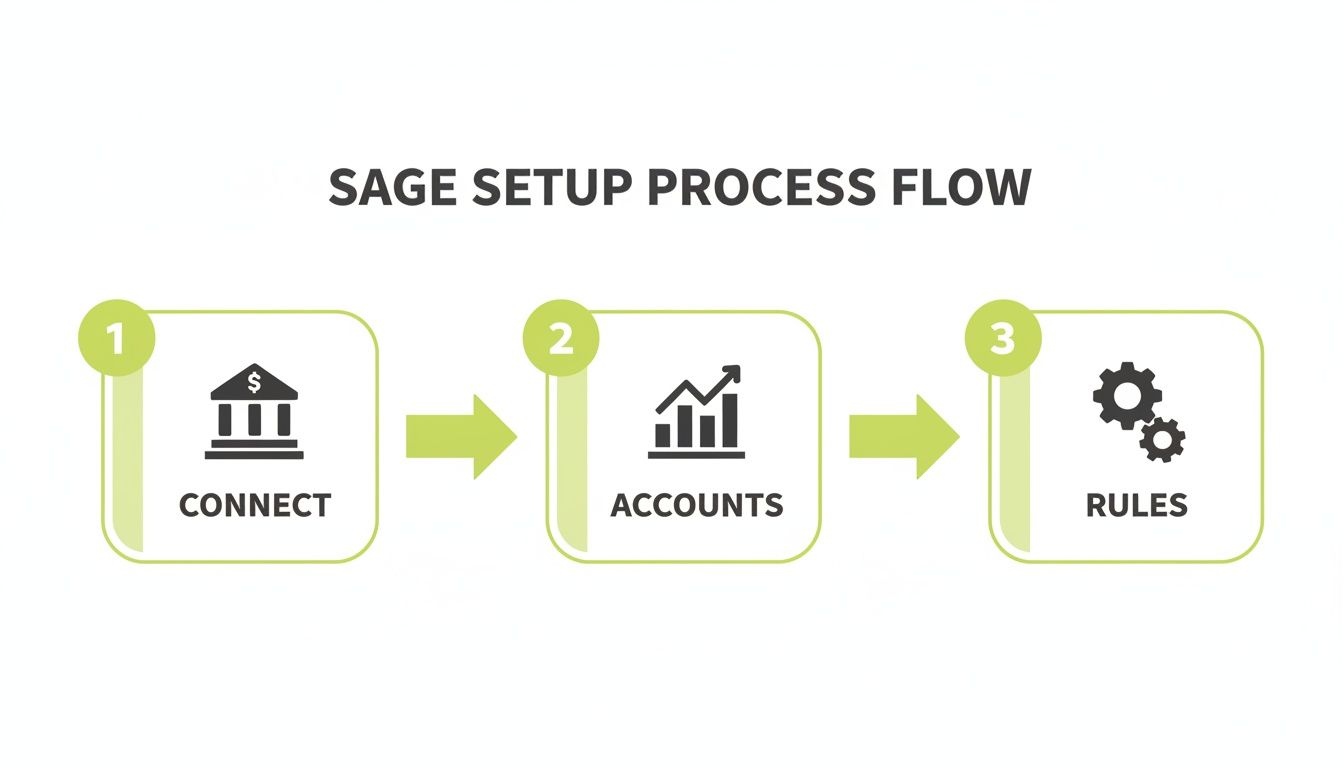
This visual really hammers home how connecting your bank, organising your accounts, and setting good rules are the three pillars of a painless reconciliation.
But what about those little things that pop up on your bank statement but aren't yet in Sage? I’m talking about bank charges, interest payments, or a direct debit you completely forgot to record. The good news is you don't have to leave the reconciliation screen to sort it out.
Sage lets you create new transactions right from this view. If you spot a £10 bank charge, for instance, you can click "Add New Transaction," pick the right expense category (like "Bank Charges"), and log it then and there. It gets created in your accounts and matched against the bank item instantly, so you don't lose your flow.
The ability to create entries directly within the reconciliation screen is a game-changer. It stops you from having to jump between different parts of the software, which saves a ton of time and reduces the risk of forgetting to record something you've just spotted.
This entire process is central to maintaining accurate financial records, which is a core part of any professional bookkeeping service. By keeping your books clean, your business not only protects itself from issues like the £1.2 billion lost to bank fraud in 2024 but also contributes to wider financial stability. For a more formal approach, it’s always a good idea to create solid Standard Operating Procedures for accounting departments that clearly outline every step of your process.
Even with the slickest setup, you'll eventually hit that moment when the numbers just refuse to line up. Seeing the “difference” field in Sage showing anything other than zero can be frustrating, but it’s rarely a sign of a major disaster. More often than not, it's down to one of a handful of common culprits that are surprisingly straightforward to fix.
Getting to know these typical discrepancies is the key to solving them quickly. Think of it as building a mental checklist to run through whenever your reconciliation hits a snag. It helps you move from confusion to a clear, actionable solution without wasting precious time.
When your bank reconciliation in Sage is out of balance, the issue is almost always caused by timing differences, simple human error, or unexpected bank transactions. Before you resign yourself to a painstaking line-by-line check, see if one of these common scenarios sounds familiar.
Here are the most frequent causes I see in practice:
The key is not to panic when things don't balance immediately. A discrepancy isn't a sign of failure; it's simply a puzzle waiting to be solved. Working through it methodically is the fastest way to get back to zero.
Once you have a hunch about what might be wrong, you can use Sage’s own tools to investigate and fix the problem right from the reconciliation screen.
For a duplicate entry, the fix is refreshingly simple. Just find the mistaken transaction in Sage, open it up, and select the option to reverse or void it. This pulls it from your accounts and your reconciliation, often solving the problem instantly.
If you suspect a typo, try sorting your transactions by amount. This simple trick makes it much easier to spot figures that look out of place or don’t have a matching partner on the other side.
Sometimes, the issue is an item on your bank statement that isn't in Sage at all, like an unexpected bank fee. In that case, you can use the "Add New Transaction" feature directly within the reconciliation window. This lets you create an adjusting journal entry for the fee on the fly, keeping your books accurate without ever leaving the task at hand.
This meticulous approach is vital. In the UK banking sector, major institutions stress that accurate reconciliation is essential for reliable financial reporting, especially when dealing with rising operating expenses and credit losses. As highlighted in research on reconciliation in UK financial reporting, addressing these discrepancies head-on is what ensures your financial data is always trustworthy.
Getting your bank reconciliation to balance is always a satisfying moment, but the job isn't truly finished. The real value lies in what comes next: turning that reconciled data into genuine business intelligence. A completed reconciliation is a goldmine of information, and Sage’s reports are the tools you need to start digging.
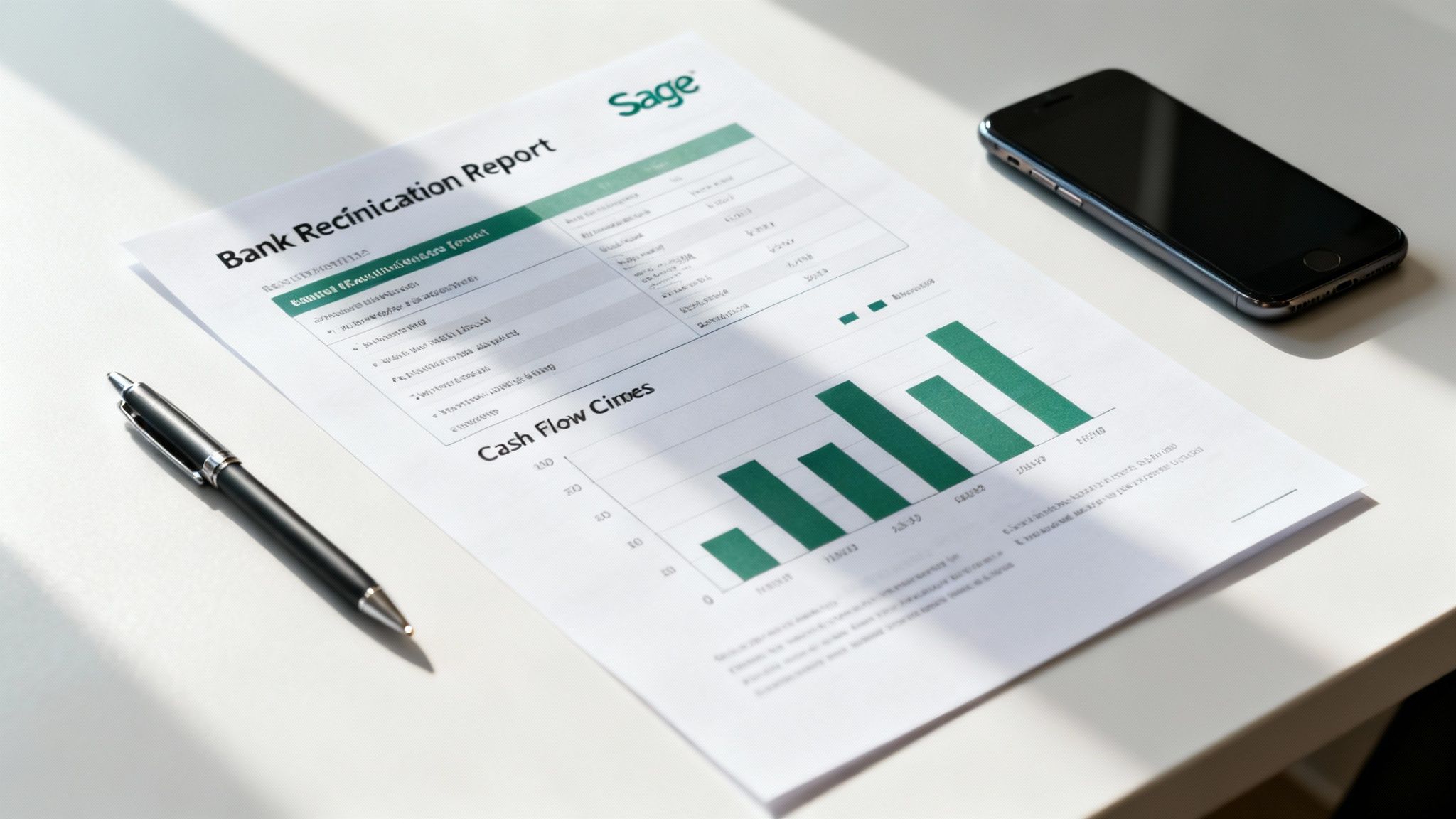
The main report you’ll want to get familiar with is the Bank Reconciliation Report. Don’t just print it and file it away. This document is a powerful snapshot that offers far more than a simple confirmation of balance. It's your key to unlocking deeper insights into your company's financial health and operational efficiency.
The Bank Reconciliation Report does more than just list matched items; it gives you a clear summary of outstanding payments and deposits in transit. This is crucial information that directly impacts your true cash position.
Look for these key sections to start drawing conclusions:
By regularly reviewing these details, you start to move beyond just "doing the books" and begin actively managing your cash flow. You'll spot patterns that a simple glance at your bank balance would never reveal.
Think of your reconciliation report as a financial health scorecard. It tells you not just what your cash balance is, but why it is what it is, highlighting the moving parts that affect your day-to-day liquidity.
Armed with these insights, you can start making smarter, more informed choices for your business. For instance, analysing the timing of customer payments against your outstanding payables can reveal crucial cash flow trends. You might discover a recurring monthly cash crunch that you can now plan for.
This report is also an excellent tool for verifying the accuracy of your other key financial statements. If you're seeing consistent discrepancies or unexpected adjustments during reconciliation, it’s a red flag that your Profit & Loss statement might not be telling the whole story.
Diving into these reports is a core part of developing strong management accounts and understanding business performance. By making this analysis a regular habit, you ensure the numbers you rely on to run your business are always accurate and trustworthy.
Getting your bank reconciliation to balance is one thing. Making the whole process consistently fast and painless is something else entirely. By getting into a few good habits, you can turn your monthly Sage reconciliation from a slog into a quick, efficient workflow. The real secret is to be proactive, not reactive.
The single biggest change you can make is setting a consistent schedule. While monthly is the norm, businesses with a ton of transactions, like an e-commerce store, will find weekly reconciliations a game-changer. This approach breaks the job down into smaller, more manageable chunks and helps you spot any oddities while the details are still fresh.
Think of your Bank Rules in Sage as a living, breathing part of your accounting system, not a 'set and forget' feature. They need a bit of attention to get really good. I'd suggest taking just ten minutes every quarter to have a look at your rules and see where you can make them smarter.
This little bit of regular housekeeping ensures your automation gets progressively smarter, chipping away at your manual workload month after month.
The goal here is to continuously teach Sage how your business actually works. Every rule you create or tweak is another small task you’ve permanently automated, freeing you up to focus on what the numbers are telling you.
Finally, make sure your approach fits your business model. A consultant sending out ten big invoices a month has very different needs to a retailer processing hundreds of small daily payments through Stripe. The consultant should focus on pristine invoice records, whereas the retailer needs rock-solid rules to handle those pesky payment processor fees automatically.
Optimising these processes can sometimes feel like a huge task, but exploring options for technology transformation can light the way forward. When you align your reconciliation strategy with how your business operates day-to-day, the whole thing becomes faster and far more accurate.
We get asked a lot of questions about bank reconciliation in Sage. It’s one of those tasks that can feel straightforward until it isn’t. Here are my answers to some of the most common queries I hear from business owners.
For most UK businesses, reconciling your books on a monthly basis is the sweet spot. It lines up perfectly with your bank statements, giving you a regular, clean snapshot of your financial health without becoming a major chore.
But this isn't a one-size-fits-all rule. If you're running a business with a high volume of transactions—think a busy retail shop or an e-commerce store—you might want to switch to a weekly reconciliation. This helps you spot discrepancies much faster and gives you a much tighter grip on your day-to-day cash flow.
You've checked for typos, duplicate entries, and missing transactions, but the numbers still don’t line up. Don't panic. It's time to get a bit more systematic.
First, go back to basics and double-check that the opening balance in Sage matches your bank statement exactly. A small error there will throw everything else off.
If that's all correct, try sorting your transactions by amount in both Sage and on your bank statement. This can help you quickly spot matching values that might have been entered with the wrong date. If you’re still stuck, it’s down to a line-by-line comparison. And honestly, don't be afraid to ask your accountant for a second look. A fresh pair of eyes can often find the problem in minutes.
I’ve seen this countless times: a reconciliation is off by a few quid because of tiny, unexpected bank charges. Before you dive into matching the big transactions, always scan the bank statement for any small fees or interest payments that haven't made it into Sage yet.
Absolutely, and you definitely should. It’s best to treat payment processors like Stripe or PayPal as if they were just another bank account.
You can connect them directly using Sage's Bank Feeds, which will pull in all the transaction data automatically.
The real trick is managing the processing fees they deduct. The most efficient way to handle this is by setting up a Bank Rule in Sage. You can create a rule that automatically spots and categorises these fee deductions for you, which makes the whole bank reconciliation on sage process much smoother.
At GenTax Accountants, we help businesses turn financial data into clear, actionable insights. If you need expert support with your accounting and tax obligations, find out how we can help your business thrive by visiting us at https://www.gentax.uk.
