



Ever felt like you're drowning in a sea of receipts, bills, and invoices? It's a common headache for business owners. Imagine having a smart digital filing cabinet that automatically fetches, reads, and sorts all that financial paperwork for you. That, in a nutshell, is Hubdoc.
Think of it as your personal bookkeeping assistant, designed to kill off manual data entry for good.

At its heart, Hubdoc is a data capture tool that tackles one of the most soul-destroying parts of running a business: managing paperwork. Instead of letting receipts pile up in a shoebox or painstakingly typing invoice details into a spreadsheet, you just send your documents over to Hubdoc and let it do the heavy lifting.
The beauty of Hubdoc is its simplicity. Getting your financial documents into the system is incredibly straightforward, and you've got a few options:
Once a document lands in Hubdoc, its clever technology gets to work. It uses Optical Character Recognition (OCR) to scan the document and pull out the key details – the supplier's name, the date, the total amount, and any VAT. All this information is then neatly filed away and stored securely in the cloud.
Hubdoc's magic comes from something called Intelligent Document Processing (IDP), which is all about teaching computers to read and understand documents like a human would. If you want to get into the technicals, this guide to Intelligent Document Processing is a great read.
This kind of automation is a massive time-saver for small businesses. It's no surprise that it’s taken off in the UK, with British businesses making up around 23% of its users worldwide.
But the final piece of the puzzle is how it talks to your accounting software. Hubdoc doesn't just store your documents; it gets the data ready and pushes it straight into accounting software like Xero, creating a draft bill or expense claim that's ready for you to approve. This seamless link is a cornerstone of our own technology transformation services for clients.

So, let's get into what really makes Hubdoc a bit of a game-changer for UK businesses. It’s about more than just snapping a photo of a receipt; its features are designed to tackle the real, everyday headaches of financial admin, saving you time and preventing costly mistakes.
At the heart of Hubdoc is its Optical Character Recognition (OCR) technology. Think of it as a smart assistant that can read. When you upload an invoice or receipt, the OCR tech scans the document, picks out the important bits – supplier name, date, total amount – and pulls that data out for you. This simple act pretty much wipes out the need for manual data entry, which, as we all know, is where most bookkeeping errors creep in.
This is a massive deal for small businesses. In fact, 84% of Hubdoc customers have a turnover of less than $50 million and fewer than 50 employees, showing just how much demand there is for tools that cut down on manual graft. You can see more about Hubdoc's UK user base to understand its impact.
Here’s where it gets really clever. Hubdoc can connect directly to your suppliers’ online accounts – think major UK utility companies, mobile phone networks, and other regular services.
Once you’ve linked an account, Hubdoc logs in on your behalf each month, grabs the new invoice or statement, and pulls it straight into your account. No effort required from you. This ‘set it and forget it’ function means you’ll never have to chase a missing bill again.
This hands-off approach turns a repetitive monthly task into a fully automated background process. It means no more chasing down bills or manually downloading PDFs—freeing up hours of administrative time each year.
Every single document you upload is stored securely in the cloud, giving you a searchable digital filing cabinet. This isn't just about being tidy; it's a must-have for compliance. With HMRC’s Making Tax Digital (MTD) rules insisting on digital records, Hubdoc gives you a system that's compliant, organised, and instantly accessible.
Here’s why that matters:
At GenTax, we're big believers in using smart technology to make your life easier, and Hubdoc is a perfect example of that philosophy in action. Think of it as the digital front door for all your financial paperwork. It takes what was once a chaotic shoebox of receipts and transforms it into a perfectly organised, automated workflow.
This isn't just about being tidy; it's about building a solid foundation for accurate, stress-free accounting right from the very start.
When you partner with us, one of the first things we do is set up your unique, dedicated Hubdoc account. This includes a private email address for forwarding on invoices. From day one, you have a dead-simple way to handle your paperwork.
This screenshot from Hubdoc's website gives you a feel for the clean, user-friendly interface for managing documents.
The dashboard gives you a clear, organised view, making it easy to see recently uploaded documents and their status.
Your part in this whole system is designed to take minutes, not hours. Instead of letting paperwork pile up, you just capture documents as they come in. It’s as simple as this:
This simple, consistent habit of capturing documents immediately ensures nothing gets lost or forgotten. It turns bookkeeping from a daunting quarterly chore into a manageable, two-minute daily action.
Once your documents are safely in Hubdoc, our team takes the wheel. This is where the real magic happens, as we turn that raw data into meaningful financial information.
We get to work configuring rules within Hubdoc to categorise your expenses correctly and make sure all the important details, like VAT, are captured accurately.
From there, the data flows directly into your Xero account. This is where we handle the crucial stuff – bank reconciliations, preparing VAT returns, and generating management reports. This seamless connection means we’re always working with real-time, accurate numbers, giving you a crystal-clear picture of your business's financial health.
By using Hubdoc as the bridge between your daily operations and your official accounts, our professional bookkeeping services save you a huge amount of time and give you complete peace of mind.
Getting a new bit of software up and running can sometimes feel like a chore, but setting up Hubdoc is surprisingly straightforward. We’ll walk you through the first few steps to make sure you’re ready to automate your bookkeeping from day one.
The whole process, once you're set up, is as simple as this: you submit documents, Hubdoc pulls out the key data, and it's all ready for you to reconcile in your accounts. It really is that easy.
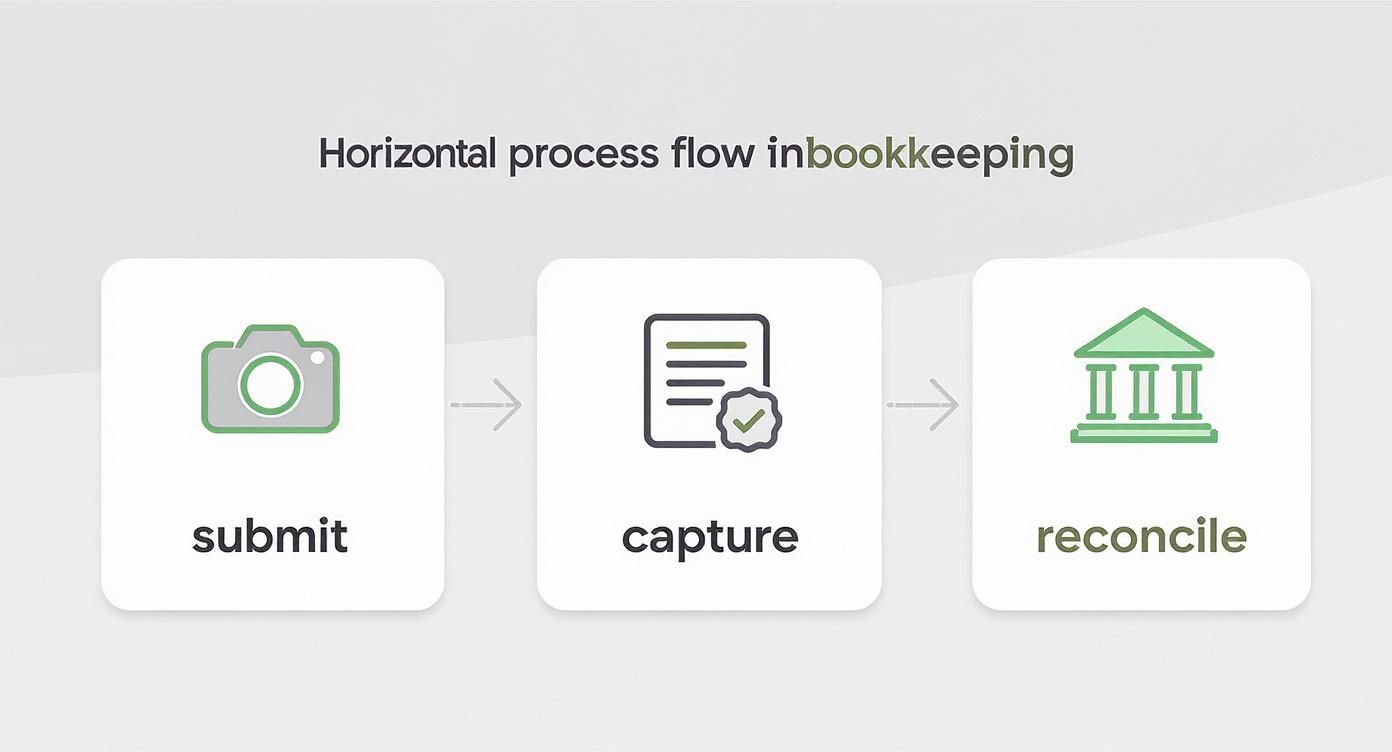
This little diagram perfectly shows the journey from a crumpled receipt or PDF invoice into organised, usable data. It’s a huge time-saver.
Follow these steps to get your Hubdoc account configured properly. A solid setup is the key to unlocking its full automation potential and making sure everything talks to your accounting software without any hitches.
Create Your Organisation: The first thing you'll do is create a profile for your business inside Hubdoc. This just involves adding the basics like your company name and business type.
Customise Your Email: Hubdoc gives you a unique email address for forwarding invoices. You can—and absolutely should—customise this to make it easy to remember. Think something like yourcompanyname@hubdoc.me.
Install the Mobile App: Get the Hubdoc app on your smartphone. This is a game-changer for capturing physical receipts when you’re out and about. Just snap a photo, and you’re done.
Connect Supplier Accounts: Link up the accounts you have for recurring bills – think utilities, software subscriptions, and your mobile provider. Hubdoc will then automatically fetch these invoices for you every single month.
But the most critical step? Linking Hubdoc to your Xero account. This is the magic connection that allows all that captured data to flow seamlessly into your books, creating draft bills and transactions automatically.
Once you’ve ticked these off, you’re ready to start submitting documents. Getting the settings right from the start is the foundation of accurate automation, which is why we guide all our new clients through this. It ensures their year-end accounts are built on clean, reliable data from the get-go.
One of the best things about Hubdoc for UK businesses is its price. For most, it's incredibly simple: Hubdoc is included at no extra cost with Xero’s main Business Edition plans (Starter, Standard, and Premium).
This isn't just a happy accident. Back in 2018, Xero bought Hubdoc for around US$70 million. It was a clear signal they were serious about automating the painful admin side of finance for their users. This was a really smart move, particularly here in the UK where Xero's user base was exploding. If you’re interested, you can read more about Xero's strategic acquisition of Hubdoc and what it meant for the market.
Thanks to this deep integration, Hubdoc isn't some clunky bolt-on tool. It’s a core part of a modern, cloud-first accounting setup. The data flows seamlessly between the two, which means your financial records are always accurate, bang up-to-date, and backed by the original source documents.
For businesses looking to connect financial data across various systems, getting help from the right data integration consultants, especially for Xero financials, can make a world of difference.
This powerful duo also makes compliance a breeze. Hubdoc and Xero work together to automatically capture and digitise every single receipt and invoice, ensuring your business effortlessly meets HMRC’s Making Tax Digital (MTD) rules for digital record-keeping. It turns compliance from a headache into a simple, automated process that just runs in the background.
By bundling Hubdoc with its core subscription, Xero effectively made best-practice digital record-keeping the default standard for its users, not a premium extra.
Choosing the right software stack is a massive decision for any new business, and this integrated approach is a big reason why so many startups lean into the Xero ecosystem. If you're weighing up your options, have a look at our guide on the best cloud accounting software for startups.
Taking on new software always brings up a few questions. To help you feel confident, we’ve put together some clear, straightforward answers to the queries we hear most often from UK business owners.
Absolutely. Handing over sensitive financial data is a big deal, and Hubdoc treats security with the seriousness it deserves. It uses bank-level security to protect every piece of information you upload.
This includes heavy-duty encryption for your data, both when it's being sent to their servers and while it's stored there. Think of it like this: your documents are housed in a highly secure digital vault, giving you the same level of protection you'd expect from your online bank.
One of the biggest headaches in bookkeeping is accidentally paying the same bill twice. Hubdoc has a clever, built-in feature to stop this from happening.
It automatically scans every document you upload and flags any potential duplicates. If it spots an invoice that looks identical to one already in the system, it’ll warn you before publishing it to your accounting software. It’s a simple but powerful check that keeps your financial records clean, accurate, and free from costly mistakes.
Yes, you certainly can. While Hubdoc is famously part of the Xero family, it isn’t exclusive to it. The platform also works smoothly with other major accounting software, like QuickBooks Online, so you can still benefit from its fantastic document capture features.
However, it’s worth knowing the big advantage of using it with Xero. For businesses on a Xero Starter, Standard, or Premium plan, Hubdoc is included at no extra cost. This bundled pricing and deep, seamless integration make the Xero and Hubdoc combo a particularly powerful and cost-effective choice for many UK businesses.
Hubdoc acts as your permanent, secure digital filing cabinet. As long as your account is active, your documents are stored indefinitely. This is a game-changer for UK businesses, especially when it comes to compliance.
The indefinite storage is a huge plus for compliance. It ensures you can easily meet HMRC’s requirement to keep business records for at least six years after the end of the tax year.
Staying organised is crucial, as you can learn in our guide to Making Tax Digital for Self Assessment. This long-term storage removes the stress of managing piles of paper or worrying about losing important receipts, ensuring your business is always ready for an audit.
At GenTax Accountants, we build tools like Hubdoc into our clients' financial workflows to make them efficient and stress-free. Ready to see how we can help you save time and stay compliant? Get in touch with us today.
