



Ever heard the term 'cloud accounting'? It's a bit of a buzzword, but the idea behind it is simple and powerful. Forget the old-school ledger books and clunky desktop software locked away in your office. Think of it more like Google Docs for your company's money—always live, totally secure, and accessible from anywhere you have an internet connection.
This isn't just a small upgrade; it's a fundamental shift that turns bookkeeping from a tedious, backwards-looking chore into a powerful tool for driving your business forward.
Let’s demystify the 'cloud'. It just means your financial data isn't stuck on a single computer's hard drive anymore. Instead, it lives in a highly secure, central hub online, just like your emails in Gmail or your files in Dropbox. This is the heart of cloud accounting.
Every time you send an invoice, snap a photo of a receipt, or get paid, the information is processed and saved on these secure remote servers, not on your local machine.
The real game-changer here is the real-time information. Because the software connects directly to your business bank accounts, it automatically pulls in your transactions as they happen. This means your books are constantly up-to-date, giving you an accurate, live snapshot of your company's financial health at any given moment.
We’ve all been there with traditional accounting methods. Emailing spreadsheet versions back and forth with your accountant, never quite sure who has the latest copy. It's clumsy, creates confusion, and wastes time. Cloud accounting gets rid of that headache for good.
By keeping all your financial data in one central place, everyone who needs access—you, your business partner, your bookkeeper—is looking at the exact same numbers, at the same time. This creates a 'single source of truth', ensuring every decision is based on the most current and accurate information available.
This collaborative approach is a massive advantage for small businesses in the UK. It transforms your accountant from someone who just crunches the numbers once a year into a genuine strategic partner. They can log in whenever they need to, check your cash flow, spot potential issues, and offer proactive advice without waiting for you to send over a pile of paperwork.
This tech-driven approach is exactly how we simplify the preparation of your annual accounts, making the whole process smoother and more insightful.
Getting started is surprisingly straightforward, and you don't need to be an accounting whiz to use it. The whole system is designed to be intuitive.
Here’s a quick look at the mechanics:
Shifting your finances from a clunky desktop spreadsheet to the cloud is more than just a tech upgrade—it’s a fundamental change in how you run your business. The benefits go way beyond simple convenience, directly improving your efficiency, cash flow, and ability to make sharp, informed decisions. It’s about turning your accounting from a chore into one of your most powerful tools.
Think of it this way: instead of waiting for month-end reports to figure out where you stand, you get a live, up-to-the-minute picture of your financial health. This allows you to be proactive, making smart adjustments on the fly rather than fixing problems weeks after they’ve happened.
One of the first things you’ll notice with cloud accounting for small business is how much faster the money comes in. Traditional invoicing is a slow, manual grind: create an invoice, post it, wait, chase, and finally, record the payment. Cloud platforms turn this on its head.
You can fire off professional invoices in minutes, complete with a ‘Pay Now’ button that lets clients settle up instantly online. Even better, the system can automatically send out polite reminders for overdue payments, chasing debts so you don't have to. This simple change drastically shortens the gap between doing the work and getting paid, keeping that all-important cash flowing.
The numbers back this up. Research highlighted by The Open Banking Implementation Entity (OBIE) found that UK businesses using cloud accounting slash their costs—by up to 59% on internal admin and 64% on external fees. That’s a huge saving, driven almost entirely by automating tasks like invoicing and reconciliation.
Imagine knowing exactly how much profit you made last week, not just last quarter. That’s the power of live data. Cloud accounting software connects directly to your business bank accounts, automatically pulling in every transaction as it happens.
This means your key financial reports—from your profit and loss to your balance sheet—are always current. This real-time view empowers you to make smarter, faster decisions. A shop owner can see which products are flying off the shelves and adjust stock levels. A consultant can track project profitability in real-time, making sure their effort is paying off.
Having live financial data at your fingertips completely changes how you manage your business. You’re no longer steering by looking in the rearview mirror; you have a clear view of the road ahead.
This capability is a perfect example of the many affordable cloud solutions for small businesses available today, all designed to boost efficiency and drive growth.
For many small business owners, the idea of putting financial data online feels risky. In reality, the opposite is true. Leading cloud accounting providers use bank-level security, including heavy-duty data encryption and secure servers. Your information is far safer there than on a single office computer that could be stolen, damaged, or hit by a cyberattack.
On top of that, staying compliant with UK tax rules becomes much, much easier. The best platforms are built to work seamlessly with HMRC’s systems, which is a lifesaver for regulations like Making Tax Digital (MTD). The software helps ensure your records are kept in the right format, taking a huge amount of stress out of VAT returns and tax submissions. For a deeper dive, check out our guide on Making Tax Digital for Self Assessment.
Cloud accounting also transforms the relationship you have with your accountant. Gone are the days of dropping off a shoebox full of receipts or emailing messy spreadsheets back and forth. Instead, you simply grant them secure access to your live financial data.
This opens the door to a much more collaborative and strategic partnership. Your accountant can log in anytime to review your numbers, spot potential issues before they become problems, and offer timely advice. They shift from being someone who just tidies up the books once a year to a proactive advisor who helps you plan for growth. It’s this collaborative power that really unlocks your business’s potential.
Picking the right cloud accounting platform for a small business can feel like a huge task, but it really boils down to a handful of core features that do all the heavy lifting. Think of these as the engine of your financial management—the non-negotiable tools that save you time, slash errors, and give you a crystal-clear view of your company’s health.
Without them, you’re just using a glorified spreadsheet in the sky.
These features are built to automate the most repetitive and mistake-prone parts of bookkeeping. That frees you up to stop crunching numbers and start focusing on growth. From getting paid faster to making tax time less of a headache, having the right tools is everything.
This visual guide breaks down the key features that turn modern accounting from a manual chore into an automated, strategic asset.
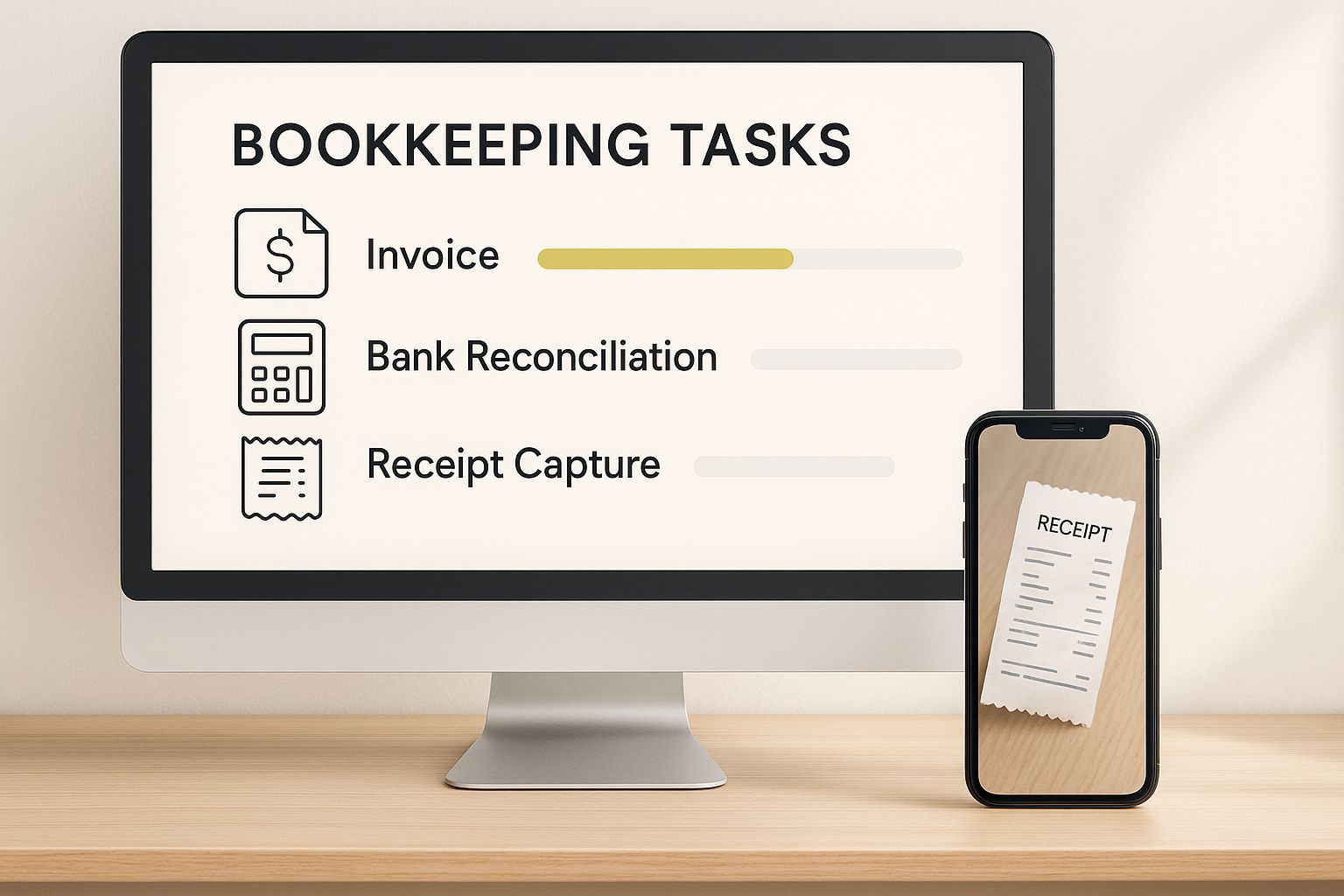
As you can see, things like automated invoicing, bank reconciliation, and mobile receipt capture all work together. They create a powerful, interconnected system that keeps your finances organised and constantly up-to-date.
Cash flow is the lifeblood of any small business, and nothing kills it faster than a clunky invoicing process. Modern cloud software tackles this problem head-on. You can create and send professional-looking invoices in minutes, often with a ‘Pay Now’ button that lets clients settle up instantly online.
The real game-changer, though, is the automation. You can set up recurring invoices for regular clients and, crucially, switch on automatic payment reminders. The system will politely chase any overdue payments for you, so you don't have to waste time playing debt collector. It's a simple function that can dramatically shorten your payment cycles and keep the cash flowing.
Reconciling your books—the painstaking job of matching your accounts to your bank statements—used to be a mind-numbing task you’d put off until month-end. Cloud accounting platforms have turned it into a continuous, almost invisible process.
By linking directly to your business bank account, the software pulls in a live feed of all your transactions. It then uses smart matching technology to pair these imported entries with the invoices and expenses you’ve logged. Instead of a massive monthly chore, you just need to approve the matches or quickly categorise the odd exception.
Live bank reconciliation means your books are always accurate and up-to-date. This eliminates guesswork and provides a true, real-time picture of your cash position at any given moment.
Keeping track of every last business expense is vital for accurate books and making sure you claim every tax deduction you're entitled to. Cloud accounting makes this completely painless with mobile apps. When you buy something for the business, you just open the app, snap a photo of the receipt, and the software handles the rest.
Using clever optical character recognition (OCR) technology, the app pulls out key details like the vendor, date, and amount. It then automatically categorises the expense and attaches the digital receipt to the transaction. This gets rid of that dreaded shoebox full of faded paper receipts and ensures you never miss a deductible expense again.
For a deeper look into the different platforms out there, our guide on the best cloud accounting software for startups can help you compare your options based on these essential features.
Making smart business decisions requires clear, current data. With old-school methods, getting a Profit & Loss statement or a Balance Sheet meant waiting for your bookkeeper to pull everything together, often weeks after the month had ended. By then, the information was already stale.
Cloud accounting software serves this information up on demand. With just a few clicks, you can generate vital financial reports that are updated in real time. This means you can instantly check your profitability, keep an eye on your cash flow, and track performance against your budget whenever you need to.
To see just how much has changed, it helps to put the old and new ways side-by-side. The differences are stark, highlighting the shift from slow, manual work to fast, automated intelligence.
Ultimately, the table makes it clear: cloud accounting isn't just a minor upgrade. It’s a fundamental change in how you manage your business finances, giving you more control, better insights, and, most importantly, more time.

The true value of cloud accounting for small business isn't about abstract features on a list. It’s about the real, tangible impact it has on entrepreneurs across the UK. It’s the extra hours you reclaim, the cash flow headaches that disappear, and the clarity that lets you get back to what you love doing.
To really get to grips with this, let’s move beyond the theory. Let's look at how real business owners are using this tech not just to keep up, but to get ahead. These stories show what happens when you switch to a smarter, more connected way of managing your finances.
Think of a local café in Bristol, a bustling spot known for its top-notch coffee and pastries. The owner, passionate about her craft, was losing nearly ten hours a week wrestling with spreadsheets. She was manually reconciling bank statements and chasing down unpaid invoices from corporate catering clients. That's time she could have spent creating new recipes or training her team.
After moving to a cloud accounting platform, her weekly admin workload plummeted. Live bank feeds took care of reconciliation automatically, and automated invoice reminders made sure her corporate clients paid on time.
This single change gave her back a full day of work every single week. Crucially, it gave her a real-time view of her cash flow. With that confidence, she invested in higher-quality ingredients and a new espresso machine, directly improving the customer experience.
And this story isn't a one-off. All over the country, small businesses are finding that cloud accounting solves some of their biggest, most persistent problems. The difference is often immediate and profound.
Take a retail shop in Notting Hill, for example. They slashed their weekly accounting admin from over 15 hours to just three. More than just saving time, they improved their cash flow by 22% simply by setting up automated late payment reminders. Another great example is a tech startup in Shoreditch that used cloud software to create live financial dashboards for its investors, cutting its month-end closing process from three weeks down to just three days. You can discover more insights about cloud-based accounting in the UK to see just how powerful it can be.
These examples all point to the same thing: this technology isn't just about making things faster. It’s about putting you back in control.
Now, let's turn to a freelance web developer in Manchester. His biggest headache was juggling multiple projects, all with different payment terms and expenses. Trying to figure out which projects were actually profitable was a nightmare of tangled spreadsheets. At the end of each month, the tedious chore of creating and sending individual invoices was something he dreaded.
He switched to a cloud accounting solution that included project management tools. This changed everything. He could:
This move freed up countless hours he’d been losing to paperwork. The developer could pour that time back into his creative work, taking on bigger projects and honing his skills. That clear financial picture also gave him the confidence to raise his rates, because he knew exactly which services delivered the most value to his clients—and to his own bottom line.
These real-world stories from Bristol, Notting Hill, and Manchester all share a common thread. They prove that adopting cloud accounting for small business isn’t just a technical upgrade. It's a strategic move that frees up your time, demystifies your finances, and empowers you to build a stronger, more resilient, and more profitable business.
Making the move to cloud accounting can feel like a massive project, but it’s far more manageable when you break it down into a clear, structured plan. This isn’t some technical overhaul reserved for IT experts; it's a series of logical steps any business owner can follow to ensure a smooth switch.
Think of it like moving house. A little bit of planning upfront makes unpacking on the other side so much easier.
This guide will walk you through the whole process, from picking the perfect software for your specific needs to getting your team comfortable with the new system. We'll also tackle common worries like data security and the initial learning curve, giving you practical advice to get up and running without disrupting your day-to-day operations.
Before you even glance at software options, you need to get crystal clear on what you’re trying to solve. Every business is unique. The right tool for a service-based consultant won't be the same as for a retailer managing stock.
Start by mapping out your current financial workflows and pinpointing the biggest headaches.
Ask yourself these key questions:
Answering these questions first helps you build a shortlist of platforms that genuinely fit how you operate, saving you from being distracted by shiny features you’ll never actually use.
Once you’ve chosen your software, the next critical phase is planning how to move your existing financial data across. A clean data migration is the foundation of your new system’s accuracy. Rushing this step is a recipe for messy, unreliable reports down the line.
A detailed migration plan ensures historical accuracy and a seamless switchover. Think of it as giving your new system a complete and accurate history of your business so it can deliver valuable insights from day one.
Start by setting a firm cut-off date—this is the day you’ll stop using your old system and switch fully to the new one. Before you move anything, clean up your old records. Tidy up your chart of accounts and make sure all outstanding invoices and bills are accounted for. Most cloud platforms have tools to import data using spreadsheets, which makes the transfer fairly straightforward if the source data is well-organised.
Now for the fun part: setting up your new digital finance hub. This is where you mould the software to your business. The first job is to customise your chart of accounts—the list of all the financial accounts in your general ledger. Getting this structure right is vital for generating meaningful reports that truly reflect your business performance.
Next, focus on the core automations:
Taking the time to configure these settings properly from the outset will automate many of your daily tasks and make your system work smarter, not harder. For businesses wanting an expert hand at this stage, exploring a technology transformation service can provide the support needed to get your setup just right.
Even the most intuitive software has a learning curve. To get the full value from your new platform, it's essential to invest time in training for yourself and anyone on your team who will be using it. This simple step drives early adoption and stops people from sliding back into old, inefficient habits.
Most software providers offer fantastic resources, including video tutorials, webinars, and detailed help guides. Schedule dedicated time for your team to work through these materials. Better yet, run a few test transactions or a pilot with a small set of data to build confidence before going live. There’s no substitute for hands-on practice to make sure everyone feels ready to embrace the new way of working.
Adopting cloud accounting isn’t just about making your life easier today; it’s about getting your business ready for whatever comes next. The way small businesses in the UK manage their money is changing fast, all thanks to powerful new tech and the relentless push to do everything digitally. Getting comfortable with cloud software now is the first, most critical step to future-proofing your finances.
This isn't just an upgrade for efficiency's sake. It's about building a business that's nimble, intelligent, and ready to compete in a far more connected financial world. The tools emerging are set to give small business owners the kind of forecasting power that used to be reserved for massive corporations with huge finance teams.
The next wave of cloud accounting for small business will be driven by artificial intelligence (AI) and machine learning. These aren't just buzzwords; they're technologies being woven directly into modern financial platforms, taking them beyond simple automation to offer genuine predictive insights.
Soon, your accounting software will do much more than just log what’s already happened. It’ll actively help you decide what to do next. Think of it like this:
To get a better grip on the bigger picture, exploring resources on small business finance can offer some valuable context. And if you're curious about how AI is set to impact UK businesses more specifically, you might find our guide on the business use cases for emerging AI models an interesting read.
This whole evolution is part of a much bigger trend. Government initiatives like Making Tax Digital (MTD) have already cemented digital record-keeping as a non-negotiable part of UK business life, and that's just the start. Using cloud accounting software is no longer a "nice-to-have" but a fundamental requirement for modern compliance and staying competitive.
Adopting cloud accounting today is less about catching up and more about getting ahead. It positions your business to seamlessly integrate the next generation of financial tools, ensuring you remain competitive, compliant, and in control.
The market certainly reflects this shift. The global cloud accounting software sector is tipped to hit $5.39 billion by 2025, an enormous expansion fuelled by the demand for smarter financial tools. This growth highlights the industry-wide move away from clunky manual processes towards an automated, data-led future. Getting on board now ensures your business won’t be left playing catch-up later.
Stepping into cloud accounting for your small business is a smart move, but it's natural to have a few questions before you dive in. Let's tackle some of the most common queries we hear from UK business owners just like you.
Yes, it’s exceptionally secure. Think of it this way: leading cloud platforms like Xero or QuickBooks protect your data with the same level of security your bank does.
They use heavy-duty measures like end-to-end data encryption, multi-factor authentication, and physically protected data centres. Honestly, your financial information is often far safer tucked away in their managed cloud environment than sitting on a single office computer that could be stolen, damaged, or hit by a cyberattack.
It's much easier than you might think. These platforms are designed for business owners, not IT wizards. Most have simple setup guides, straightforward tools to import your existing data from spreadsheets, and plenty of customer support on hand.
There’s a small learning curve, of course, but the sheer amount of time you’ll save in the long run makes that initial setup effort completely worthwhile.
Cloud accounting is a tool that automates your bookkeeping; it doesn't replace the strategic know-how of a professional accountant. Instead, it makes the relationship better by creating a shared, real-time view of your finances.
Absolutely not. While the software is brilliant at handling your day-to-day records, it can’t offer the invaluable advice an experienced accountant provides. What it does do is transform your partnership.
By working from the same live data, your accountant can stop chasing old receipts and start giving you timely, relevant guidance on the things that really matter:
This turns your accountant from a historian into a proactive advisor, helping you make smarter financial decisions that drive your business forward.
Ready to see how a tech-focused approach can simplify your finances and fuel your growth? The team at GenTax Accountants is here to help you get the most out of cloud accounting. Visit us at https://www.gentax.uk to learn more.
