



Ever stared at a growing pile of receipts and invoices, dreading the hours of manual data entry ahead? What if all that paperwork could just... sort itself out and pop up neatly in your accounting software, completely error-free?
That’s pretty much the promise of AutoEntry. In simple terms, it's a smart piece of software designed to kill off the soul-destroying task of manual bookkeeping. Think of it as a digital helper for your finances.
If traditional bookkeeping is like hand-copying a book word for word—slow, boring, and full of potential typos—then AutoEntry is like a high-tech scanner. It doesn't just copy the words; it understands them, sorts them, and files them in the right place for you.
At its core, AutoEntry uses sophisticated OCR technology (Optical Character Recognition) to read and pull data from your documents. It can scan everything from a crumpled-up receipt from your wallet to a multi-page bank statement with impressive accuracy, turning a stack of paper into useful, organised information.
The way it works is beautifully simple and breaks down into three key stages:
Here’s a look at the AutoEntry interface, which gives you a good feel for how clean and straightforward it is.
As you can see, the dashboard is designed to make managing your financial documents as painless as possible.
This simple but powerful process is a massive part of modern financial management and a key step in any meaningful technology transformation for your business. It’s become a go-to tool for UK accountants and businesses, processing over 28 million documents a year for more than 210,000 businesses globally. It's been especially vital in helping UK firms get to grips with Making Tax Digital (MTD) rules.
You can discover more about AutoEntry's impact on their official site.
The big idea behind automated data capture is great, but where AutoEntry really shines is in the practical, everyday features that make manual bookkeeping a thing of the past. These aren't just fancy bells and whistles; they’re tools that work together to get your financial information flowing smoothly, saving you hours of tedious work and slashing the risk of human error.
At its heart, AutoEntry is brilliant at chewing through all sorts of financial paperwork. We’re talking purchase invoices, sales receipts, credit notes, and even those horribly long, multi-page bank statements. It doesn't just skim the surface by grabbing the total; it intelligently pulls out all the crucial details.
The whole process is beautifully simple, as you can see below.
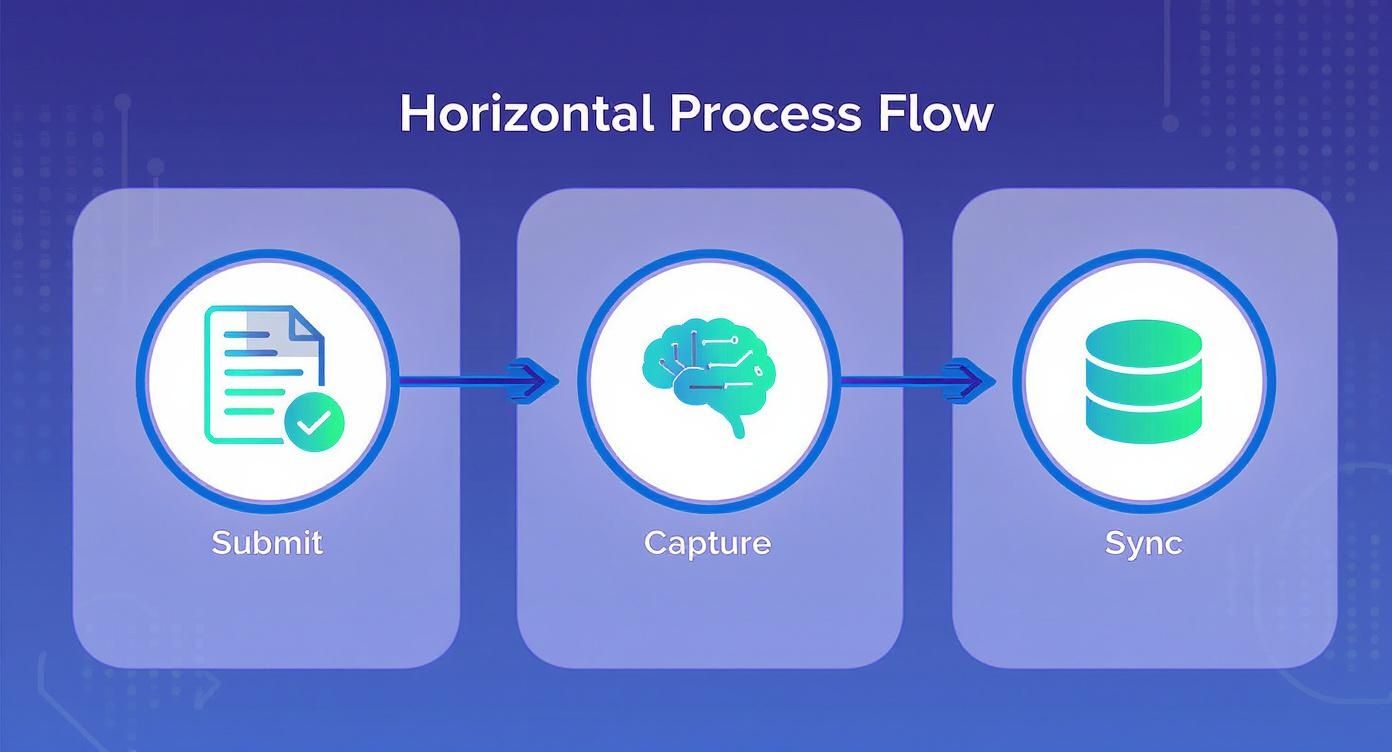
This three-step dance—Submit, Capture, Sync—is the engine of its efficiency, turning a once painful manual chore into a background task.
One of AutoEntry's killer features is its line-item extraction. Let’s say you run a construction business and get a ten-page invoice from a supplier listing hundreds of individual items—screws, timber, paint, you name it. Instead of just noting the final bill, AutoEntry can pick out every single line, complete with its description, quantity, and price.
This level of detail is a game-changer for accurate job costing and tracking your stock. It turns a simple invoice into a goldmine of business intelligence, going far beyond basic record-keeping. It's this detailed, accurate approach that underpins our expert bookkeeping services.
AutoEntry also gets smarter the more you use it. Thanks to its intelligent categorisation rules, it starts to remember how you code transactions from certain suppliers. If you always pop invoices from "Office Supplies Ltd" into your "Stationery" account, AutoEntry will start suggesting it for you, and pretty soon, it’ll just do it automatically.
This learning ability is a huge time-saver. Over time, the system becomes finely tuned to how your specific business works, making the review process faster and faster.
On top of that, its expense reporting tools get your whole team involved. Staff can snap photos of receipts with the mobile app, add a quick note, and submit them for approval right away. Say goodbye to collecting crumpled bits of paper and manually processing expense claims at the end of the month.
In fact, in 2023, AutoEntry rolled out new tech to process bank statements up to 10 times faster. For accountants and businesses juggling lots of transactions, that’s a massive win.

Automating data entry is one thing, but the real value of AutoEntry is what it unlocks for UK accountants and the businesses they support. It’s less about processing the past and more about getting the clarity you need to shape the future.
For accountants, the most immediate win is getting a massive chunk of their time back. Hours spent on mind-numbing manual tasks can be instantly reclaimed. This allows skilled professionals to step away from being data processors and become the strategic advisors their clients truly need, offering valuable insights instead of just chasing paperwork.
This newfound efficiency has a ripple effect across all sorts of industries. Imagine a construction firm juggling costs across multiple sites. Instead of waiting for a pile of crumpled receipts to land on a desk, workers can just snap photos of them on-site. The accounts team gets real-time data, making it far easier to monitor project budgets and keep spending in check.
Or think of a growing retail business drowning in supplier invoices every month. AutoEntry clears that bottleneck completely. Invoices are processed automatically, ensuring suppliers are paid on time and the financial records are always bang up to date.
This shift towards near real-time financial data empowers business owners to make smarter, faster decisions. It replaces guesswork with clarity, allowing you to see your financial position as it is now, not as it was weeks ago.
This level of automation also takes a huge weight off when it comes to compliance, especially with HMRC's Making Tax Digital (MTD) rules. Being able to capture and digitise financial records on the fly makes quarterly reporting far less of a headache for everyone involved. Seeing who we can help gives you an idea of how this applies to different business structures.
Case studies from UK accountancy firms are pretty telling. Some have reported up to a 75% reduction in time spent on data entry after bringing in AutoEntry. That's not a small saving; it's a game-changer that frees up businesses and their accountants to focus on what actually matters: growth, planning, and strategy. You can see more on these efficiency findings from TrustRadius.
AutoEntry doesn't really do its best work alone. Its true power comes alive when you connect it to the financial software that’s already the heart of your business. Think of it as the ultimate bridge, letting data flow from your receipts and invoices straight into your accounts without you lifting a finger.
This connection is what eliminates the soul-destroying task of manually typing information from one system into another. It’s designed to work hand-in-glove with the major accounting platforms we see businesses using every day across the UK, creating one smooth workflow that saves a massive amount of time and cuts out those frustrating human errors.

The good news is that AutoEntry offers deep, reliable integrations with the UK’s leading accounting software. So, whatever your current setup, it can almost certainly plug straight in. Key connections include:
This direct link is powered by a secure API, which just means your financial data moves automatically and safely between the platforms. You don't have to do a thing. If you're just starting out and trying to decide on your core system, our guide on the best cloud accounting software for startups can help clear things up.
The practical benefit is immediate. A correctly coded transaction appears in your general ledger moments after being processed by AutoEntry. No delays, no waiting around.
This automatic flow of data creates a single source of truth for your finances. It means what you see in AutoEntry perfectly matches what’s in your accounting system, which is absolutely crucial for accurate reporting and stress-free tax filing.
Getting started with a new piece of software can feel like a chore, but honestly, setting up AutoEntry is refreshingly straightforward. To make the transition seamless, it helps to follow a few proven customer onboarding best practices for SaaS teams, which boil down to taking clear, logical steps.
Here’s a practical checklist to get you up and running without any headaches.
First things first, you’ll sign up for an AutoEntry account and connect it securely to your accounting software—whether that’s Xero, QuickBooks, or Sage. This integration is the magic behind the curtain; it’s what allows data to flow effortlessly between the two systems.
Next, you’ll want to tweak your company-specific settings. This is a crucial step where you’ll set up your default VAT codes and tell AutoEntry which nominal accounts to use for different types of expenses. Getting these preferences sorted from the get-go means future documents will be categorised correctly with very little manual effort.
With your account configured, you're ready to start feeding it documents. AutoEntry gives you a few different ways to do this, so you can pick whatever fits your workflow best.
The final step is a quick review. All your captured data lands in the AutoEntry inbox. From here, you just give it a once-over to make sure the details are spot on, then click ‘Publish’. That sends everything straight into your accounting ledger. This whole process means you can confidently manage your firm's accounts right from day one.
Whenever you're thinking about bringing a new tool into your business, it’s only natural to have a few questions. Getting your head around the details of security, accuracy, and what happens when things aren't quite perfect is the key to feeling confident about adopting AutoEntry.
Let’s get straight into some of the most common queries we hear from clients.
This is usually the first question people ask, and rightly so. AutoEntry takes data security very seriously, using strong encryption both when your data is being sent and when it’s stored on their servers.
As part of the wider Sage group, it’s built to meet high industry standards for data protection. You can rest easy knowing your sensitive financial information is handled securely and in line with UK regulations like GDPR.
This is a good one. While AutoEntry's AI is incredibly clever, it really performs best with printed or typed documents. It can often make sense of clear, legible handwriting, but messy scrawls are a tough challenge for any automated system.
For any handwritten bits and pieces, it’s always best practice to give the extracted data a quick once-over before you publish it to your accounts. That simple check guarantees everything is spot on for those less-than-perfect documents.
Look, no automated tool is 100% infallible, but AutoEntry boasts a very high accuracy rate. More importantly, it’s designed with a crucial human checkpoint built right into the process. Before any data gets finalised and pushed into your accounting software, you get the chance to review everything within the AutoEntry platform.
Think of this verification step as your safety net. It lets you quickly spot and fix any rare errors, making sure only clean, precise data makes it into your books. Even better, the system is designed to learn from your corrections over time, so it gets smarter with every document you process.
Ready to see how automated data entry can transform your bookkeeping and free up your time? The team at GenTax Accountants can guide you through implementing AutoEntry to ensure you get maximum value from day one. Find out how we can help.
