



Struggling with a mountain of receipts? Spending your evenings manually punching numbers into a spreadsheet? You're not alone. In a nutshell, Dext is like a digital bookkeeper that automatically grabs, reads, and sorts out all your business invoices and receipts. It transforms that chaotic pile of paper into clean, structured data that’s ready for your accountant and your accounting software.
For most UK small business owners, the admin side of bookkeeping is a real headache. It’s the classic shoebox overflowing with faded receipts, the late nights squinting at a screen, and that nagging feeling you’ve lost a crucial expense claim somewhere along the way. This isn't just tedious; it's a huge drain on your most precious asset—your time.
It might surprise you to learn that a whopping 84% of small businesses are still stuck using manual methods for their day-to-day financial admin. That adds up to nearly 120 lost working hours every single year, for every business. Think what you could do with that time: serve more customers, dream up new products, or actually take a weekend off. This is precisely the problem Dext was created to fix.
Instead of just being another bit of software to learn, Dext acts as a simple bridge connecting your physical paperwork to your digital accounts. It gets straight to the heart of the most common frustrations that plague small businesses.
To show you what I mean, let's look at some real-world problems and how Dext tackles them head-on.
Common Business ProblemHow Dext Provides a SolutionThe "Lost Receipt" NightmareJust snap a photo of a receipt with your phone the moment you get it. Dext captures it, so it can't get lost, faded, or forgotten.Painful Manual Data EntryDext's smart technology reads the key details—supplier, date, amount, VAT—and enters it for you. No more typing.Fear of Human ErrorBy automating the process, Dext massively cuts down on the typos and mistakes that can throw your accounts off balance.Wasted Hours on AdminIt turns a task that used to take hours each week into a job that takes minutes, freeing you up to focus on running your business.
As you can see, the goal is to take the grunt work out of your hands so you can focus on what you do best.
This shift isn't just about convenience; it's about staying competitive. The UK’s digital economy is now worth nearly £160 billion, and tools like Dext are becoming fundamental for modern businesses that want to keep up. Our team at GenTax Accountants helps businesses like yours make this exact transition, making sure you have the right setup to thrive.
Ultimately, by turning financial chaos into organised clarity, Dext gives you the power to make smarter, faster decisions based on real-time data.
So, what’s the big deal with Dext? Its real magic lies in how it takes a crumpled receipt from your wallet or an invoice from your inbox and turns it into perfectly organised accounting data. Think of it as a digital sorting office for all your financial paperwork.
The process starts the second you get hold of a receipt and finishes when that information is sitting exactly where it should be in your accounting software. Best of all, you barely have to lift a finger—and certainly don't have to type in a single number.
The whole thing boils down to three simple stages: capture the document, extract the data, and then publish it. It's designed to be completely effortless.
First things first, you need to get your paperwork into the Dext system. The platform gives you a few different ways to do this, so you can pick whatever works best for you and make sure no receipt ever gets lost in the shuffle again.
This simple workflow shows how Dext takes a messy pile of paper and turns it into clean, usable financial data.
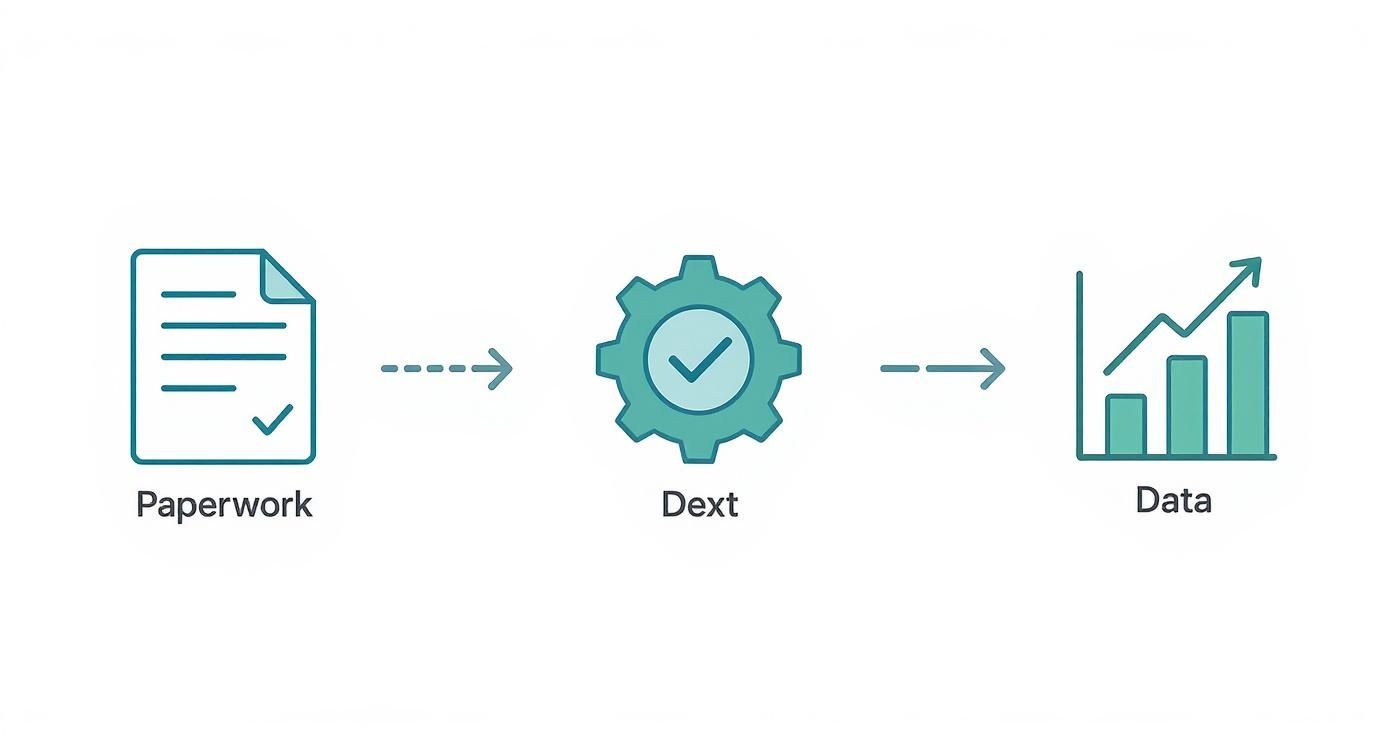
As you can see, the journey from a chaotic shoebox of receipts to neatly structured digital records is streamlined into a simple, automated process.
Once your document is in the system, Dext’s clever technology takes over. This is where things get really smart. The platform uses Optical Character Recognition (OCR) to scan the document and literally read the text.
Dext’s system has been trained to spot and pull out all the important bits of information with incredible accuracy. It identifies the supplier’s name, the transaction date, the total amount, and—critically for UK businesses—the VAT amount.
This isn’t just a basic scan; it's intelligent data extraction. To get a better sense of the technology that makes Dext possible, it’s worth understanding how this type of document collection software has become essential for modern businesses. It's a key part of any company's digital upgrade, and our expert advice on technology transformation can help you put these powerful tools to work effectively.
The final piece of the puzzle is getting this clean, verified data into your main accounting system. Dext is built to connect directly with all the major players like Xero, QuickBooks, and Sage.
After you’ve given the extracted data a quick once-over to check it’s all correct, you just hit ‘Publish’. Dext sends everything—the data and a copy of the original document image—straight to the right place in your accounting software. That means less time spent on manual data entry and a financial ledger that’s always spot on.
Dext Prepare isn't just a fancy digital filing cabinet. Think of it as an engine, specifically designed to automate the most soul-destroying parts of bookkeeping. To really get why it’s so popular, you need to understand how its core features work together to turn that dreaded shoebox of receipts into perfectly organised financial data. Let’s break down the key tools that make this happen for UK businesses.

The whole system is built on one simple idea: getting documents in must be effortless. The Dext mobile app is famous for its speed and simplicity – you can snap a picture of a receipt in seconds and get on with your day.
This isn't just taking a photo. The software is smart enough to handle real-world receipts with creases, annoying shadows, and even multi-page invoices with surprising accuracy. You can also just forward email invoices directly to your Dext account or upload files from your computer, making sure every single expense is captured the moment it happens.
Once a document is in the system, Dext's clever Optical Character Recognition (OCR) technology kicks in. Picture it as a highly trained assistant who can read and understand any invoice or receipt you throw at it.
It automatically finds and pulls out the crucial details:
This process claims a 99% accuracy rate on the important stuff, which all but eliminates the typos and manual errors that haunt spreadsheets. This automation is a game-changer. As shown in this government report on the UK digital economy, tools that handle routine tasks are critical for business productivity, letting you focus on growth instead of data entry.
This is where Dext really comes into its own. It doesn't just hold your data; it actively gets it ready for your accounting software, like Xero or QuickBooks.
You can set up "Supplier Rules" to automatically categorise expenses. For example, you can create a rule that says every invoice from "Shell" should be coded to your "Motor Expenses" account. It's a simple, set-and-forget fix that saves a ton of time.
Dext takes this a step further by connecting with over 11,500 banks. This allows it to match the receipts you’ve uploaded directly to your bank transactions, a feature that dramatically simplifies bank reconciliation – one of the most tedious jobs in bookkeeping.
By combining smart data extraction with these powerful automation rules, Dext makes sure your financial data isn't just captured—it's ready to be published straight to your accounts. This creates a beautifully smooth workflow that can save hours every single month, giving us the clean data we need for effective financial management. The system can even pull data from bank statements, giving you a complete financial picture without the manual headache.
So, what does all this clever tech actually mean for your day-to-day business life? It’s one thing to talk about automation, but it’s another to see how a tool like Dext genuinely makes a difference.
This isn't just about getting rid of paper receipts. It’s about winning back hours of your time, shoring up your financial accuracy, and turning your relationship with your accountant from a once-a-year headache into a proper strategic partnership.
The first thing you’ll notice is how much time you get back. Manual data entry is a notorious black hole for productivity. In fact, studies show that small businesses can lose nearly 120 working hours every single year to financial admin alone. That's three full weeks of work.
Dext gives you that time back by automating the whole tedious process.
Think of a busy construction contractor. Instead of a glove box stuffed with crumpled material receipts that need sorting at the end of the month, they can just snap a photo on their phone and upload it to Dext on the spot. Job done. That simple habit can free up hours every month—time that’s far better spent quoting for new work or managing projects on site.
Let's be honest, mistakes happen when you're manually typing numbers into a spreadsheet late at night. A simple typo can throw off your financial reports, and worse, lead to an inaccurate VAT return that could cause headaches with HMRC down the line.
Dext’s data extraction technology all but eliminates this risk. It pulls the numbers directly from the document, ensuring what goes into your books is what’s on the receipt.
For a small retail shop juggling dozens of supplier invoices, this kind of accuracy is crucial. Dext correctly identifies the VAT on every purchase, making sure you claim exactly what you're entitled to without making costly errors. Staying compliant becomes simpler, and it can even give your cash flow a healthy boost. For more on this, our guide on tax advice for small businesses is packed with essential tips.
With a clear, real-time digital trail of every expense, Dext gives you and your accountant an accurate, up-to-the-minute picture of your company's financial health. It’s this clarity that leads to smarter business decisions.
Dext completely changes the dynamic between you and your accountant. Gone are the days of the year-end panic, dumping a shoebox full of faded receipts on their desk. Instead, your accountant gets a live, organised feed of your financial data as it happens.
This transforms their role from simply reporting on past events to offering proactive, forward-looking advice.
Imagine a consultant who travels frequently for work. They can upload receipts for flights, hotels, and meals as they go. Their accountant sees this spending in real-time and can offer timely advice on expense management or tax planning right when it matters, not months later.
To get your finances running even more smoothly, it's also worth looking into the best payment processors for small business, as an efficient payment system goes hand-in-hand with great bookkeeping.
Moving to a slick system like Dext can feel like a big leap, but a little bit of planning goes a very long way. Think of this as your roadmap to getting up and running without the headaches, so you can start seeing the benefits from day one. Follow these steps, and you’ll sidestep the common tripwires and build a solid foundation for your bookkeeping.
Let’s be honest, this is about more than just installing some software. It's about breaking old habits. That switch from a shoebox full of crumpled receipts to a smooth, digital process takes a bit of setup and team buy-in, but the payoff in time and sanity is huge.
Before you jump in, it’s vital to pick the Dext plan that actually fits your business. Dext offers several tiers, each built for a different level of use. A sole trader snapping 20 receipts a month has completely different needs to a growing marketing agency juggling hundreds of supplier invoices.
When weighing up your options, think about:
Getting this right at the start means you won’t be overpaying for features you never touch or, worse, hitting frustrating limits just as you’re getting into the swing of things.
Once you've got your plan sorted, the setup is your next big job. This is where you connect Dext to all your other financial tools, making it the central hub for your paperwork. Your accountant can be a massive help here, making sure everything is configured properly for UK tax rules and compliance.
A properly configured setup is the bedrock of a successful Dext implementation. Taking the time to get the integration right with your accounting software and bank feeds will save you countless hours of corrective work later on.
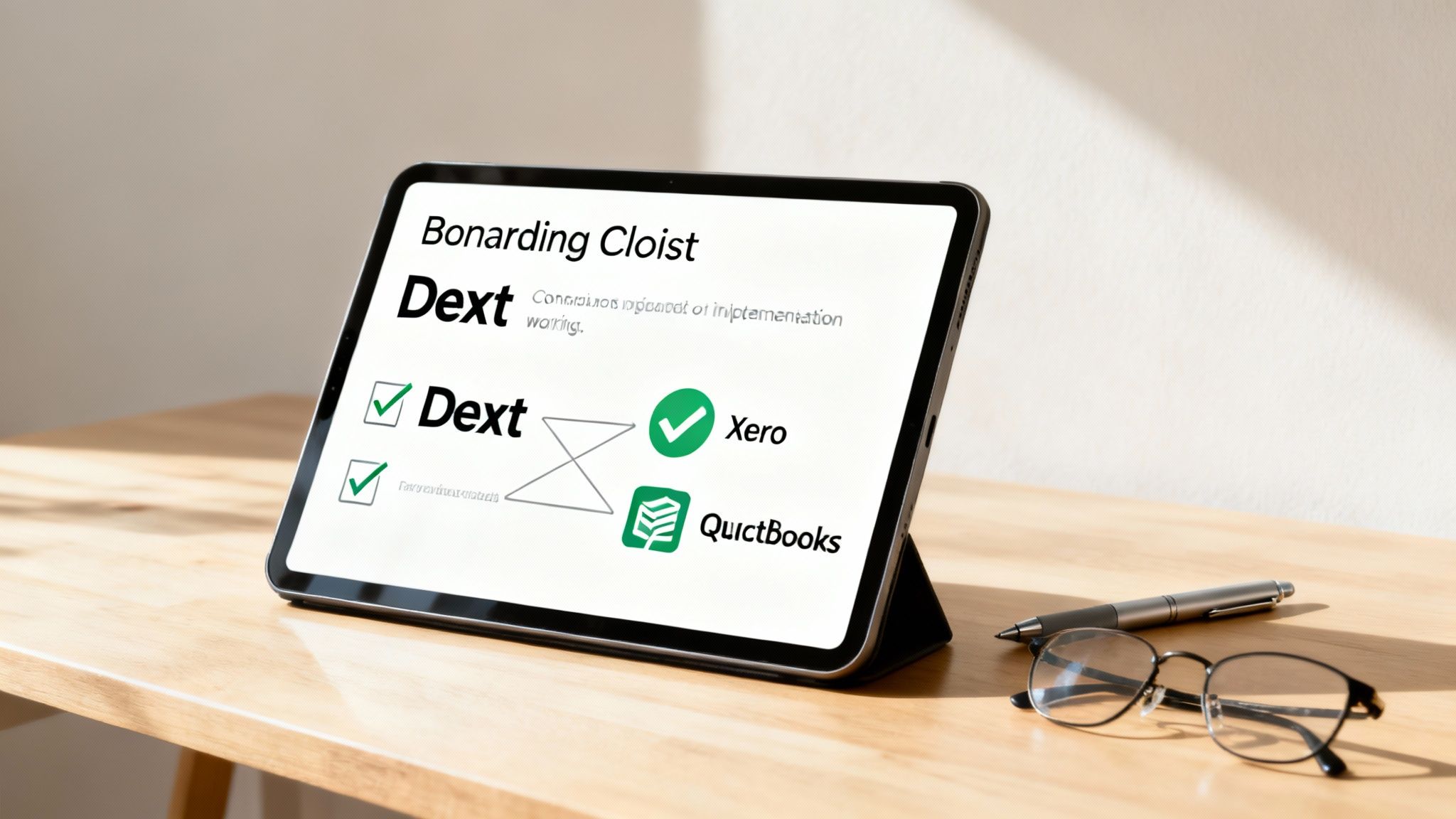
To guide you through this process, here’s a simple checklist to get you started on the right foot.
StepAction RequiredKey Consideration1. Connect Accounting SoftwareLink Dext to your Xero or QuickBooks account.This allows Dext to "publish" data directly, saving you from manual entry. Ensure the connection is fully authorised.2. Add Team MembersInvite your employees and set their user permissions.Give them access to submit their own expenses but restrict access to sensitive company-wide financial data.3. Customise CategoriesAlign your Dext categories with the Chart of Accounts in your accounting software.This is crucial for accurate coding and meaningful financial reports. Your accountant can provide your Chart of Accounts.4. Set Up Supplier RulesCreate rules to automatically categorise expenses from regular suppliers (e.g., Tesco, BP).This is a huge timesaver. It teaches Dext how to handle recurring invoices without you lifting a finger.5. Configure Bank FeedsIf your plan includes it, connect your business bank accounts.This helps with reconciliation and capturing any transactions that might have been missed.
Completing these steps sets the stage for a smooth, automated workflow, turning what was once a chore into a simple, background process.
A tool is only as good as the people using it. The final—and arguably most crucial—step is getting your team on board. A common pitfall is inconsistent use: blurry photos, missing information, or people forgetting to upload receipts for weeks. This kind of stuff undermines the whole system.
Keep the training simple and clear. Show everyone how to use the mobile app and hammer home the importance of snapping a receipt the moment they get it. A quick 15-minute training session can prevent endless frustration and ensure you get clean, usable data from the start. Consistency really is the key to unlocking the full power of Dext.
Trying to pick the right automation tool can feel like a minefield, but the choice usually boils down to what your business actually needs. In the UK, the main names you’ll hear mentioned alongside Dext are Hubdoc and AutoEntry. Each has its place, but they’re built for slightly different people.
Think of Hubdoc as the perfect starting point. It's often bundled for free with a Xero subscription, making it a brilliant, no-brainer tool for sole traders or micro-businesses with pretty straightforward needs. It gets the job done, reliably capturing bills and statements and ticking the essential boxes. But for a business with a growing pile of invoices or more complex requirements, its limitations can quickly become a bottleneck.
This is exactly where Dext finds its sweet spot. While Hubdoc is great for getting started, Dext is engineered for businesses on the up. Its data extraction is generally faster and noticeably more accurate, especially when dealing with those fiddly, multi-line invoices that other tools struggle with. The mobile app is also widely seen as being in a different league, making receipt capture on the go genuinely quick and painless.
More importantly, Dext gives you far more control and customisation. Its ability to create sophisticated supplier rules and automation workflows goes well beyond what the simpler tools can handle.
For a growing business, the key difference is moving from simple data collection to intelligent data processing. Dext is designed to actively learn your bookkeeping habits and automate them, saving significant time as your transaction volume increases.
This ability to really dial in the software to your operations is what sets it apart. To make the right call, it's helpful to see how these tools fit into your wider financial setup. Taking a look at the best cloud accounting software for startups can give you the bigger picture on building your ideal finance tech stack.
Ultimately, the choice becomes a lot clearer:
Jumping into any new bit of software always throws up a few questions. To save you the head-scratching, here are the answers to some of the most common things UK business owners ask us about Dext.
This is usually the first question people ask, and rightly so. Your financial data is incredibly sensitive, and Dext treats it with the seriousness it deserves.
Think bank-grade security. All your information is protected with heavy-duty encryption, both when you upload it and when it’s sitting on their servers. The platform is also fully compliant with GDPR, so you can be confident your data is being handled responsibly and legally.
Ah, the classic scrawled receipt from a local supplier. It’s a very practical question! While Dext’s scanning technology is fantastic with printed text, its mileage with handwriting can vary.
If the handwriting is clear and legible, it does a surprisingly good job. But if you’re dealing with a faded, hurried scrawl, it’s going to struggle. The best advice? If you get a manual receipt or invoice, just ask them to write as clearly as possible. It gives the system a much better chance of getting it right the first time.
It’s easy to get these two mixed up, but they’re built for completely different jobs.
Technically, no. Anyone can use Dext on their own to get their paperwork in order, and it’s a huge step up from a shoebox full of receipts.
But its real power comes alive when it’s connected to an accountant. We make sure everything you snap and send isn’t just captured, but is categorised correctly, coded for tax purposes, and properly reconciled in your accounts. It turns a simple organising tool into a proper financial powerhouse.
At GenTax Accountants, we build Dext right into our services to give our clients real-time clarity on their numbers and take the bookkeeping headache away for good. To see how we can make it work for you, get in touch with our team.
