


Putting your Companies House compliance on autopilot is no longer a pipe dream. By cleverly combining Notion AI for smart checklists, Microsoft Copilot or Google Tasks for reminders, and a tool like Zapier to glue it all together, you can create a central 'control room' for your UK limited company. This setup takes the headache out of tracking deadlines and managing filings, effectively eliminating the risk of penalties from a missed submission. It transforms compliance from a manual, stressful chore into something that just… happens in the background.
For any director of a UK limited company, the constant drumbeat of statutory deadlines can feel relentless. The Companies House confirmation statement (CS01), annual accounts, and various tax returns all have their own timelines and specific requirements. Miss just one, and you’re looking at automatic late filing penalties, potential legal trouble, and a black mark against your company's reputation. It’s a huge source of administrative stress that pulls you away from what really matters: growing the business.
The old way of doing things—relying on a jumble of spreadsheets and calendar alerts—is just too fragile. It’s so easy for things to fall through the cracks. A key person goes on holiday, an email reminder gets buried, and suddenly a penalty notice lands on your desk. This guide offers a modern blueprint to break that cycle for good. We’ll walk you through building a robust, automated system that makes missed deadlines a thing of the past.
This isn't just about dodging fines; it's about buying yourself operational peace of mind. By setting up an intelligent compliance workflow, you can be confident that every filing is prepared, reviewed, and submitted on time, every single time.
This system is built on a few powerful, accessible tools that work together seamlessly:

Before we dive into the setup, it’s vital to have your foundations in order. For instance, recent changes are making accurate record-keeping more important than ever. Our guide on Companies House ID verification highlights this trend. The automated system we're building ensures this data is always organised, up-to-date, and ready for any filing or verification process that comes your way.
Before you can put your Companies House compliance on autopilot, you need a mission control. Think of it as your company’s digital headquarters—a single, organised page in Notion that holds every critical piece of information you need.
This "Control Room" is the foundation of your entire automated system. Getting this right means no more frantic, last-minute searches for details when a filing deadline is breathing down your neck. It’s a dynamic entity record where you’ll store essential data that rarely changes but is constantly needed for official paperwork. Creating this single source of truth ensures every checklist and reminder pulls from the correct, up-to-date information, preventing costly errors down the line.
Your Notion control room should be structured like a simple, clean database. You don't need anything fancy, but it absolutely must contain a few key fields to power your automated filings.
At a minimum, you'll want to include:
To help you get started, here's a quick rundown of the essential data points to include in your Notion database. Think of this as the blueprint for your compliance hub.
A summary of the essential information your Notion database needs for streamlined compliance.
Nailing this setup is crucial. Once these details are locked in, you have a reliable foundation that connects everything together.
Here’s a quick look at how you can organise a Notion page into a clean, accessible dashboard for your company's vital stats.

By structuring your data this way, you create a solid foundation that connects directly to your Notion AI checklists and Copilot reminders. This is what turns compliance from a chaotic scramble into a systematic, predictable process. With this control room established, every filing task and deadline can be linked directly back to this master record, ensuring absolute consistency.
With your Control Room set up, it’s time to build its engine: an auto-generated filing calendar. Manually tracking UK compliance dates is a recipe for disaster. Instead, we'll get Notion’s formulas to do the heavy lifting, creating a calendar that automatically maps out every key deadline from a single starting point: your company's incorporation date. This is the heart of putting your Companies House compliance on autopilot.
This approach turns a list of static, forgettable dates into a predictable, automated timeline. The goal is to get you out of the business of manual tracking, letting the system calculate everything for you. From there, you can layer in other recurring deadlines, like VAT and PAYE filings from your accounting software (Xero or QuickBooks), to build a complete picture of your compliance year.
Using a simple formula property in Notion, you can automatically generate the due dates for your most critical filings. Here are the foundational ones you'll want to map out straight away:
It's also a smart move to flag UK-specific options right inside your calendar. For instance, add a simple checkbox to note if your company is eligible to file simpler micro-entity or abridged accounts. Ticking that box can save you a mountain of administrative work and simplify the checklists generated later.
This setup creates a clear visual flow, showing exactly how deadlines trigger automated reminders so that nothing ever slips through the cracks.
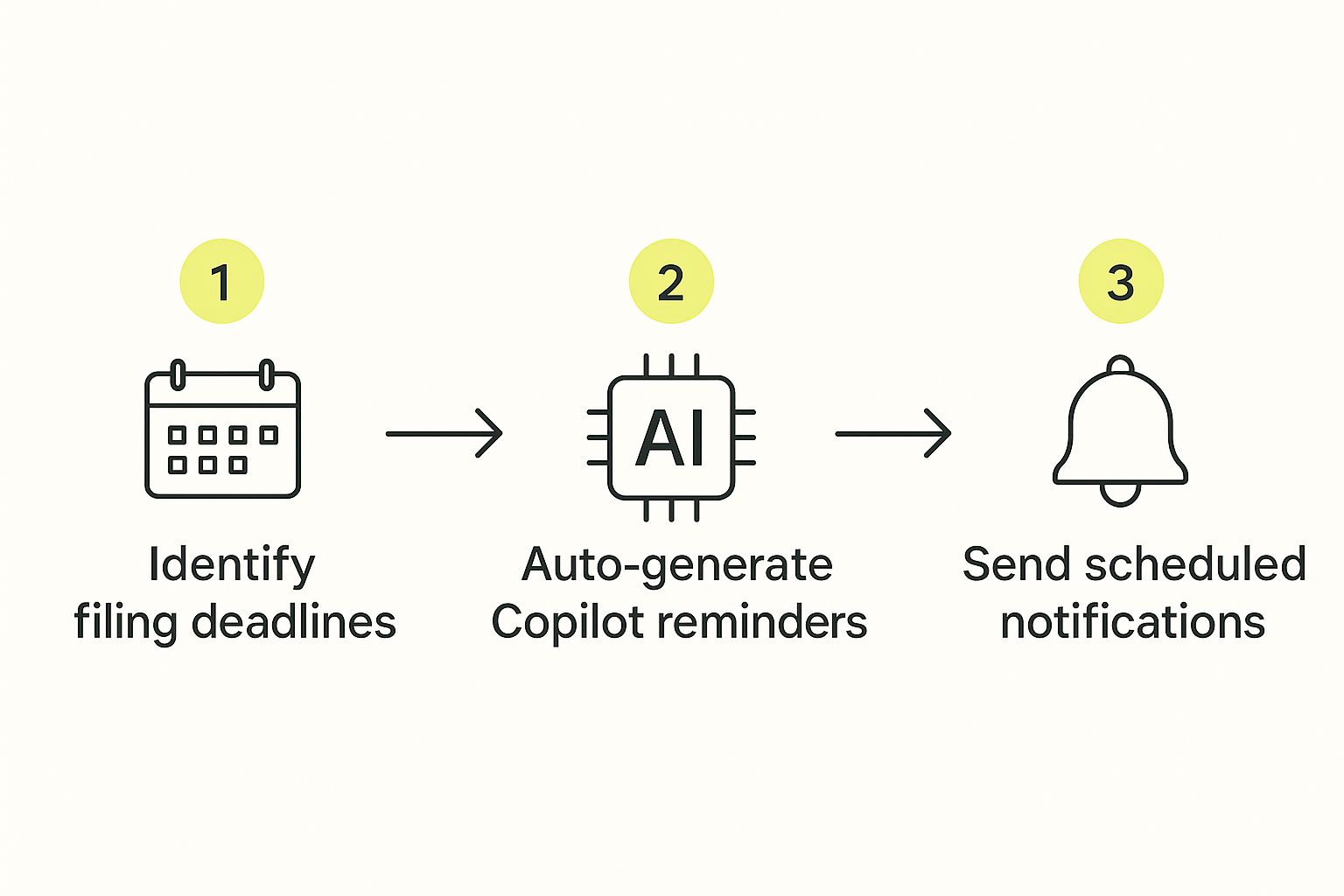
This workflow shows the essential loop for your autopilot system: a seamless journey from identifying a task to getting it done.
While the shift to digital has been huge, with over 90% of documents now filed electronically, compliance is still a major headache for many. Companies House still hands out thousands of civil penalties every year for late submissions, which just goes to show how vital a robust system is. You can see the scale of the issue yourself in the latest Companies House filing statistics on GOV.UK.
To make this even more powerful, you can integrate your calendar with the best cloud accounting software for startups, like Xero or QuickBooks. This helps pull in financial data automatically, making the filing process itself that much smoother.
A calendar tells you when a filing is due. A smart checklist tells you exactly how to get it done, every single time. This is where we’ll get Notion AI to build us a repeatable, mistake-proof action plan for every major submission.
By creating smart checklists, you stop treating compliance as a mad dash to a deadline. Instead, it becomes a series of clear, manageable tasks that anyone on your team can follow. The real magic happens when you embed this logic into Notion’s template buttons.
With one click, you can have Notion AI instantly generate a complete checklist for your annual accounts or confirmation statement (CS01). This takes all the guesswork out of the process and makes it almost impossible to miss a critical step, putting your Companies House compliance on autopilot.
Getting a truly useful checklist from Notion AI all comes down to the quality of your prompt. You need to be specific. Think of it less like asking a question and more like briefing a highly efficient assistant who needs clear instructions.
Here’s a prompt you can adapt for your own use. Notice how detailed it is:
"Generate a detailed checklist for filing a UK Confirmation Statement (CS01). Include steps to:
- Verify all PSC (Persons with Significant Control) information is current by checking our Notion Control Room.
- Confirm the registered office address and director details are correct against the Control Room data.
- Check that SIC codes accurately reflect current business activities.
- Secure final approval from a director (add a sub-task to link the approval email).
- Submit the CS01 online and archive the confirmation PDF back into this Notion page."
This level of detail is what separates a generic, useless list from a powerful, actionable one.
You can create similar prompts for your annual accounts, asking the AI to add specific tasks like "Pull final trial balance from Xero" or "Attach signed accounts from the accountant." These checklists become living documents, creating a perfect audit trail with evidence and links attached to each task. The evolution of AI is changing business workflows fast, and you can learn more about what's on the horizon in our guide to upcoming AI releases.

An automated system is only as good as its alerts. Think about it: your Notion calendar and those AI-generated checklists are the brains of the operation, but without a nudge, they just sit there. This is where tools like Microsoft Copilot or Google Tasks come in, adding that crucial notification layer to make sure nothing ever slips through the cracks.
This simple step is the final piece of the puzzle. It’s what truly puts your Companies House compliance on autopilot. By connecting your tools, you transform a static date on a calendar into a direct, timely reminder for the right person.
So, how do you get these systems talking to each other? The simplest way is with a connector tool like Zapier, which acts as a bridge between Notion and your reminder app. The setup is surprisingly straightforward and creates a seamless pipeline from your compliance hub straight into your team’s daily workflow.
Here’s a quick look at how it works:
This small automation is the linchpin holding the whole system together. It ensures a deadline doesn’t just exist in a database; it lands as an unmissable, actionable task for the director responsible.
This isn't just a clever workaround; it mirrors a much wider shift. Companies House's own business plan focuses heavily on using AI for risk assessment and compliance, signalling a major move towards digital-first enforcement. Tapping into Copilot reminders for filings and Notion checklists simply puts you ahead of the curve. You can read more about the government's AI-driven strategy on GOV.UK.
These timely pings are especially critical for recurring tasks with tight deadlines, like running payroll. Integrating these alerts ensures every part of your financial admin is handled promptly—a topic we explore further in our guide to payroll services for small businesses in the UK.
An automated system is only as good as the results it delivers. When you put your Companies House compliance on autopilot, you need a way to prove it’s actually working. The ultimate goal here is simple and non-negotiable: missed deadlines = 0.
Beyond that headline metric, a few other KPIs can tell you how well things are running:
Tracking these KPIs provides clear evidence that your system isn't just running—it's thriving.
Keeping your system in good shape involves more than just hitting targets; you need to build an unshakeable audit trail. Once a filing is successfully submitted, make it a non-negotiable step to archive the final PDF confirmation straight back into your Notion Control Room. Attaching these PDFs to the completed checklist item creates a perfect, closed-loop record that’s ready for any future audit.
This level of organisation also sets you up to handle major regulatory changes. Companies House is going through its biggest transformation since 1844, driven by the Economic Crime and Corporate Transparency Act. This legislation is set to require millions of directors and PSCs to verify their identities, a huge step towards digital-first compliance. You can read more about how this is improving data accuracy with these insights on the UK company register.
Having a neatly organised Notion system means you’re already ahead of the curve, ensuring your data is always tidy and audit-ready. For more guidance on managing your company's financial responsibilities, take a look at our comprehensive tax advice for small businesses.
At GenTax Accountants, we combine technology and expertise to keep your business compliant and growing. Discover how we can simplify your accounting by visiting us at https://www.gentax.uk.
